
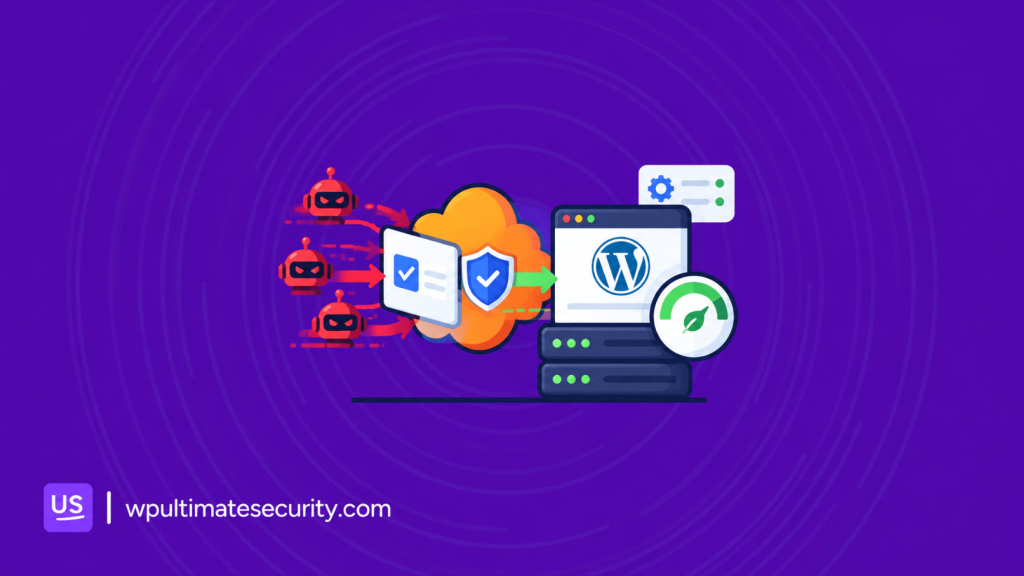
A lightweight WordPress security plugin should protect your site without using too many server resources. In this post, we look at how Ultimate Security keeps its workload light, manages background tasks, and lets you control which features run on your site. We also cover updates, testing on small servers, and improvements to reduce server load and support better site performance.
Table of Contents
Pressure on your security plugin grows as your visitors increase
Security work adds up quickly. Every login attempt needs a check. Every form needs bot protection. Scans, alerts, and logs all need memory and processing time.
A plugin that does all of this by itself, inside your WordPress site, asks a lot from your server. On a busy day, that load grows with your traffic. On a small server, it can grow past what the server can handle. The better approach is to keep the heavy work somewhere else.
How Ultimate Security keeps heavy work off your server
We do not try to do every job inside your WordPress site. Bot detection and attack filtering take real memory and processing time. We hand them to services built to do them. Ultimate Security connects your site to three of them: Cloudflare WAF, Google reCAPTCHA and Cloudflare Turnstile.
Cloudflare WAF rules stop attacks at the edge
A web application firewall (WAF) filters requests before they use your server resources. With Ultimate Security you can deploy five rule groups to your own Cloudflare account. You do not have to write Cloudflare rules by hand. A request that a rule blocks stops at Cloudflare’s network and never reaches your server. That is where the savings on a small server come from.
Each group is a switch, and you can toggle the options inside each group too:
- Allow good bots: Cloudflare-verified crawlers, plus named allowlists for backup, monitoring, image, SEO and security services.
- Block crawlers and WordPress paths: Aggressive crawlers, exploit scanners, sensitive paths such as XML-RPC and wp-config, and common injection patterns.
- Block web hosts and TOR: Traffic from hosting providers and TOR exit nodes
- Challenge cloud providers and countries: A challenge instead of a hard block.
- Challenge VPN and login: Extra friction where attacks concentrate.
You connect your Cloudflare API token, pick your groups, and deploy. The plugin creates and updates its ruleset through Cloudflare’s Rulesets API. You can preview the rules before they go live, see live rules and analytics, and remove them as cleanly as you deployed them. If a rule blocks something you need, you can add your own IP and user-agent exceptions.
Everything runs against your own Cloudflare account. The plugin never proxies your traffic. It only talks to Cloudflare with the token you provide. You need a Cloudflare account, and the whole WAF module is in the free plugin. See the Cloudflare WAF rules feature and the setup guide.
Google reCAPTCHA checks visitors outside your site
Bots are hammering login, registration, and comment forms every second. With reCAPTCHA, Google runs the check. Your site does not need its own bot detection. You can choose v2, the checkbox version, or v3, which scores visitors invisibly. The v3 score threshold is adjustable.
To set it up, open Ultimate Security → Bot Protection → Google reCAPTCHA and paste your site key and secret key from the Google reCAPTCHA console.
reCAPTCHA can cover WordPress login, registration, password reset, and comments. It also covers WooCommerce login, registration, and lost-password forms. Every placement is its own toggle and is off by default, so you protect only the forms you choose.
Your site only gets involved when someone submits a protected form. It sends the visitor’s response token, together with your secret key, to Google to verify. Forms you did not enable never make this call.
We also built in some safeguards:
- Keys are verified when you save them, so a typo shows up right away and not as a locked-out login later.
- An outage guard covers provider downtime, so a Google problem does not stop real users from logging in.
- Add login protection like limits on failed attempts. Our post on login security features that stop brute force attacks covers this.
Cloudflare Turnstile verifies visitors without puzzles
Turnstile does the same job with a lighter touch. In most cases it uses browser signals and behavior, so visitors do not need to solve a puzzle. If provider privacy matters to you, it is the lighter-touch option.
You set it up in Ultimate Security → Bot Protection → Cloudflare Turnstile. Get your free site key and secret key from the Turnstile section of your Cloudflare dashboard, paste them in, and switch on the forms you want to protect. You can also adjust the theme, language and size of the widget.
It works the same way as reCAPTCHA inside the plugin. It uses the same per-form toggles, key check at save time, outage guard and no-conflict mode. The verification call happens only on forms you enabled. If you configure both providers, a priority setting decides which one wins.
Not sure which to pick? Our Turnstile vs reCAPTCHA comparison explains the difference. With all three in place, your server keeps its memory for serving your visitors.
Turn off what you do not use
Every feature in Ultimate Security is a module. You choose which modules load on your site, so you only run the features you need. When you turn a module off, it unloads completely. Its screens, its REST endpoints and its scheduled tasks all go away until you switch it back on.
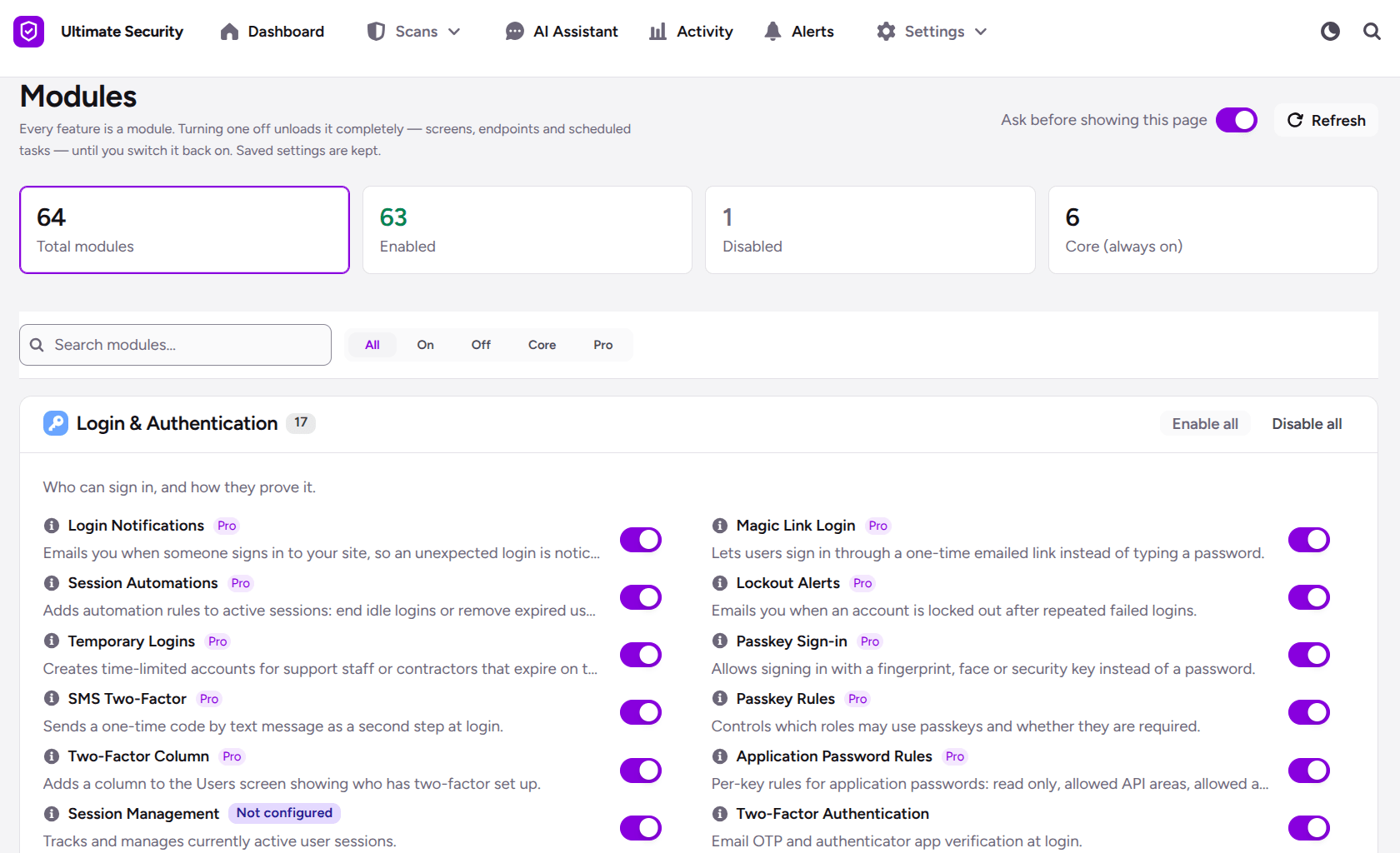
Your saved settings are kept. If you turn a module off today and back on next month, your setup is still there. You do not have to configure it again.
This matters most on small servers. A site that only needs login protection and two-factor authentication does not need to carry every other feature. Fewer loaded features means fewer screens, fewer endpoints, and fewer background tasks on your server. You can manage modules in the Developer area of the plugin.
Background tasks you can see and control
Some security work cannot be handed off. Routine checks, alerts and cleanups have to happen on your site. For these, Ultimate Security uses WordPress cron jobs, which are automated background tasks.
These tasks run routine security checks, send alerts, perform cleanups and manage background data processing. We built them to run in the background, away from the pages your visitors load.
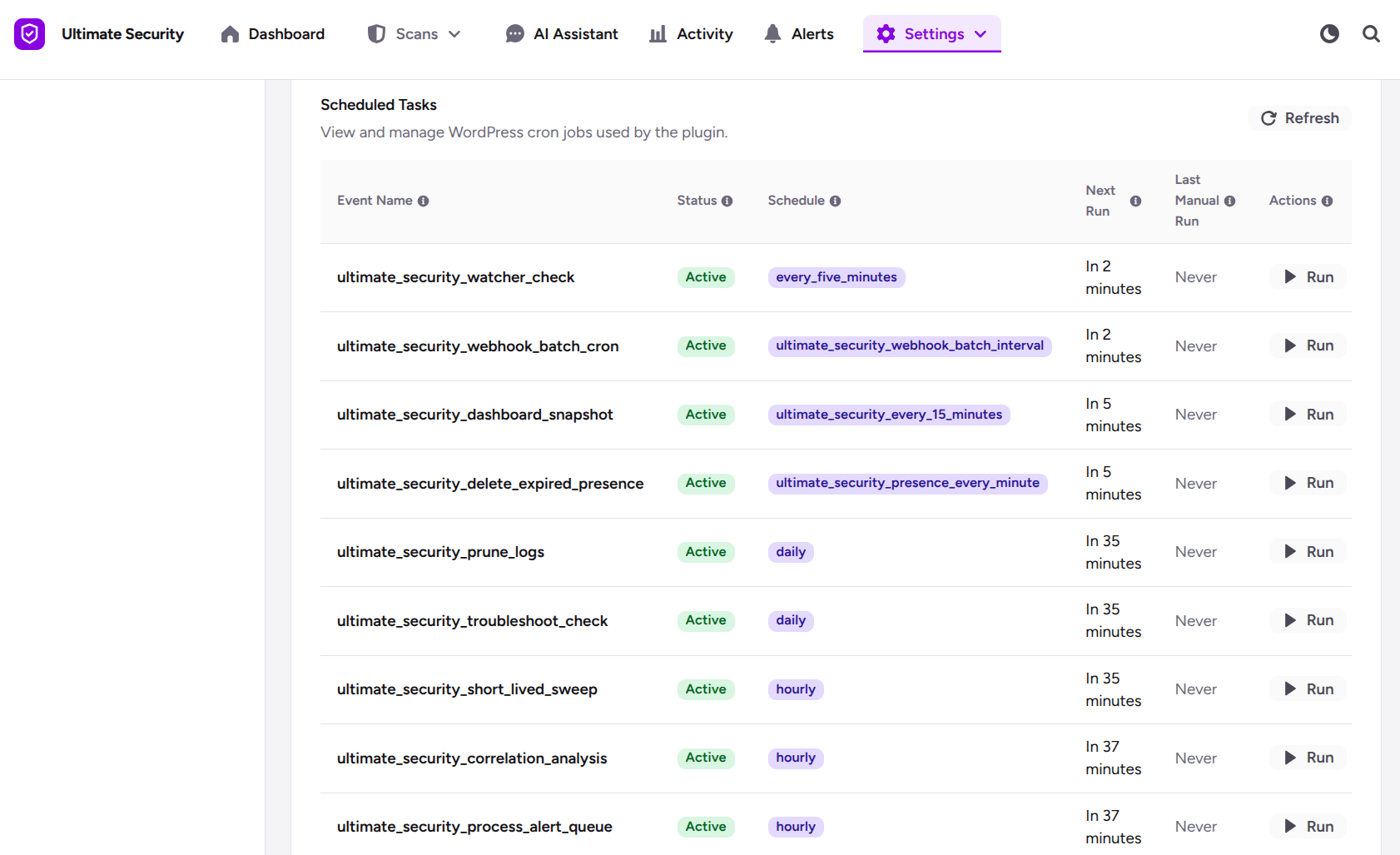
You also stay in control. The plugin has a section where you can monitor, run or pause each background task. If your server is tight on resources, you can see exactly what runs and decide what you need.
Modules give you another way to cut background work. When you turn a module off, its scheduled tasks are removed along with it.
We think a security plugin should be open about what it does while you are not looking.
Tested on small and lean servers
We tested Ultimate Security on small, lean setups, not only on powerful hosting. It is fully tested on a 128MB RAM site, and on lightweight server systems like Alpine and Rocky Linux.
Your results depend on your server, your other plugins and your traffic. A site with many heavy plugins will behave differently from a site with few. We test on lean systems so that the plugin does its part to stay light, whatever else runs beside it.
How we keep improving Ultimate Security
A lightweight plugin does not stay light on its own. It takes steady work, so we update Ultimate Security regularly.
With each update, we look for ways to optimize the code, fix bugs, and make the plugin more reliable on real sites. We pay close attention to how it behaves on small servers and busy sites, because that is where a heavy plugin shows up first.
We also keep making the plugin more flexible. Every site has different needs, so we add and refine options that let you decide what runs and what does not.
You do not need to track every change. We list each update in our changelog, and you can update from the plugins screen in WordPress at any time.
Flexible settings you control
Every site is different, so we work hard to give you control without making setup hard.
- Brute-force lockouts. Choose how many short lockouts come first. You can also switch off the longer stage. The settings are labeled Initial and Advanced, and the long lockout is set in minutes.
- Two-factor codes. Choose how many 2FA codes can be requested every 15 minutes, and how long someone must wait before asking for another.
- Wrong two-factor codes. Set how many wrong codes are allowed and how long the lockout lasts for each method.
- Lockout messages. The message on the login page counts down and clears itself when the lockout ends.
- Modules. Switch whole features on or off, and keep your saved settings when you do.
These options let a small site stay strict and a busy site stay open, using the same plugin.
Frequently Asked Questions
Does a security plugin slow down WordPress?
It can, if it does heavy work inside your site. Ultimate Security hands bot checks to reCAPTCHA or Turnstile and can stop attack traffic at Cloudflare’s edge. This keeps that work off your server.
Does Ultimate Security work on Alpine or Rocky Linux?
Yes. We test it on lightweight server systems, including Alpine and Rocky Linux.
How does reCAPTCHA or Turnstile keep my site light?
Google or Cloudflare runs the bot check. Your site only verifies the result when someone submits a protected form, so it does no bot detection of its own on every page view.
What is a cron job in WordPress?
It is an automated background task. Ultimate Security uses scheduled tasks (cron jobs) for routine security checks, alerts, cleanups, and background data processing.
Can I run or pause a background task myself?
Yes. The plugin has a section where you can monitor, run, or pause each background task.
Is the Ultimate Security module based?
Yes. Every feature is a module, and you can switch each one on or off.
What happens when I turn a module off?
It unloads completely. Its screens, REST endpoints and scheduled tasks are removed until you turn it back on.
Conclusion
Ultimate Security is designed to provide security features while keeping server resource usage in mind. With modular features, controllable background tasks, and recent performance and stability improvements, you can adjust the plugin to suit your site’s needs. Update to the latest version to access the new improvements, and review your settings to make sure you’re using the features your site needs.

Comments are moderated. Stay on topic: spam and link drops are removed.