

WordPress XML-RPC security is something most site owners never think about until something goes wrong. There is a file sitting in the root directory of your WordPress site right now. You have almost certainly never opened it. And there is a good chance an automated bot tried to use it against your site in the last 24 hours. The file is called xmlrpc.php. It has been part of WordPress since version 3.5, and it is switched on by default for every installation.
This guide covers exactly what it is, what the actual risks look like in practice, how to find out whether your site is already being targeted, and how to fix it properly.
TL;DR
xmlrpc.php is a legacy WordPress file that has been switched on by default since 2012. It was built to let outside apps communicate with your site remotely.
Attackers use it to run brute force attacks that bypass your standard login protection, launch DDoS attacks through the pingback feature, and scan your server infrastructure from the inside.
If you do not use the WordPress mobile app or remote publishing tools, you should disable it now. The fastest way is through WordPressP Ultimate Security. If you need to keep it open, enabling two-factor authentication through the same plugin adds a critical second layer of protection.
Keep reading to understand exactly how the attacks work, how to check if your site is already being targeted, and which method of disabling it fits your setup.
Table of Contents
What Is WordPress XML-RPC Security?
WordPress XML-RPC security is a communication protocol. It lets outside applications talk to your WordPress site over the internet using a standardized format XML handles the data packaging, and HTTP carries it between systems.
In practice, this means the file xmlrpc.php, located in your WordPress root directory, acts as an open endpoint. Any application that knows your site’s address can send requests to it. Those requests can log in, create posts, edit content, upload files, and more all without you opening your dashboard.
WordPress has been on by default since version 3.5 and the XMLRPC endpoint has not been removed because removing it would break backward compatibility for older integrations. So it sits there, open, on every WordPress site in the world.
Why XML-RPC Existed?
Before smartphones changed everything, bloggers used desktop applications to write posts offline. Tools like Windows Live Writer would connect directly to a WordPress site and publish content without needing a browser. XML-RPC was the bridge that made that connection possible.
When mobile apps became the norm, XMLRPC took on a new role. The first official WordPress mobile apps for iOS and Android relied on it to create posts, moderate comments, and manage sites remotely. It was also the system behind pingbacks and trackbacks, the mechanism that notified blogs when another site linked to them.
For a long time, this was genuinely useful. Then two things changed.
In 2015, WordPress introduced the REST API. It replaced XML-RPC as the standard way for apps and external services to communicate with WordPress. The REST API is faster, more secure, more flexible, and actively maintained. It does not pass login credentials with every single request the way XML-RPC does.
Then in WordPress 5.6, Application Passwords were added. These are unique, revocable passwords tied to specific apps, a direct replacement for the authentication use case XMLRPC used to serve.
The Security Risks Are Real and Active
This is not a theoretical threat. A active large-scale attack campaigns targeting xmlrpc.php in 2024 and 2025. Here is what attackers actually do with it.
Brute Force Attacks That Bypass Your Defenses
When someone tries to brute-force your WordPress login page at /wp-login.php, your security plugin notices. After a few failed attempts it locks the IP address out. Standard protection works exactly the way it should.
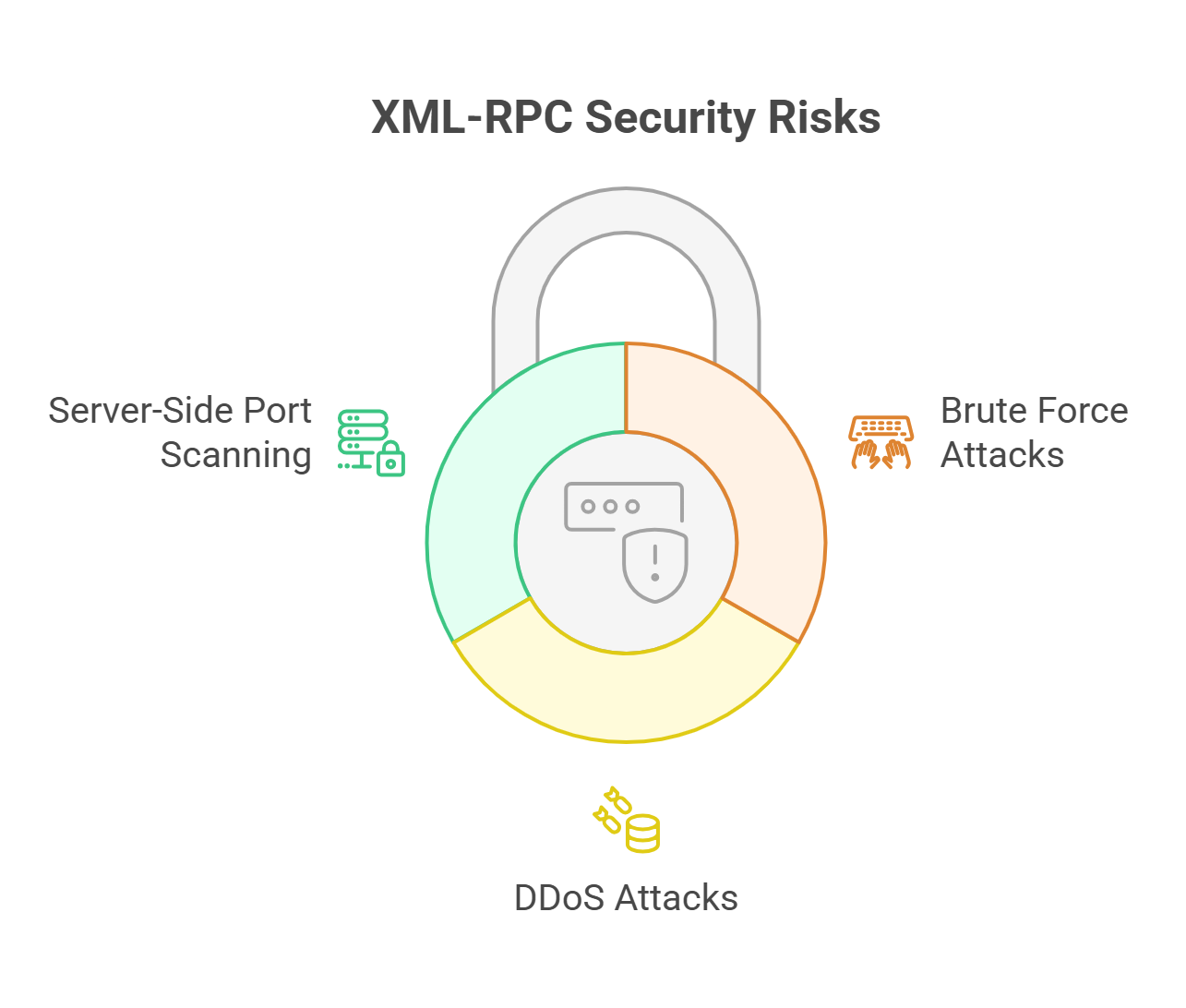
A method called system.multicall allows an attacker to bundle hundreds or even thousands of username and password combinations into a single HTTP request. One request, two thousand login attempts. Your standard login attempt limiter sees only one request and does nothing. The attack moves quietly through while your plugin watches the wrong door.
Security researchers have demonstrated that with just three or four HTTP requests, thousands of password combinations can be tested against a site. Automated tools built specifically for this exist publicly. Botnets scan for exposed xmlrpc.php endpoints constantly.
If your password is weak or reused from another account, this kind of attack can compromise your site quickly and silently.
DDoS Attacks Through Pingback Abuse
The pingback.ping method was originally designed to notify other blogs when you linked to them. It worked by sending an automatic HTTP request to the linked site’s XML-RPC endpoint.
Attackers turned this into a distributed denial-of-service weapon. By sending pingback requests to thousands of WordPress sites at once, each instructing those sites to ping a single target URL, attackers could flood a target with traffic from hundreds of legitimate servers simultaneously. Your site becomes a soldier in an attack you never agreed to participate in. The target gets overwhelmed, and your server absorbs extra load in the process.
In 2013, researchers at Incapsula documented a coordinated attack that recruited approximately 2,500 WordPress sites this way. The scale of pingback-based DDoS campaigns has grown since then.
Server-Side Port Scanning
Less discussed but worth knowing: the pingback mechanism can also be directed at internal IP addresses. Attackers use this to probe ports on servers behind your firewall, mapping what services are running on your infrastructure. Your site becomes a reconnaissance tool without your knowledge.
This is what security researchers call XSPA (Cross-Site Port Attacks). It is not the most common XML-RPC exploit, but it is a real one.
How to Tell If Your Site Is Already Being Hit
Most site owners only find out something went wrong after the fact. There are faster ways to check.
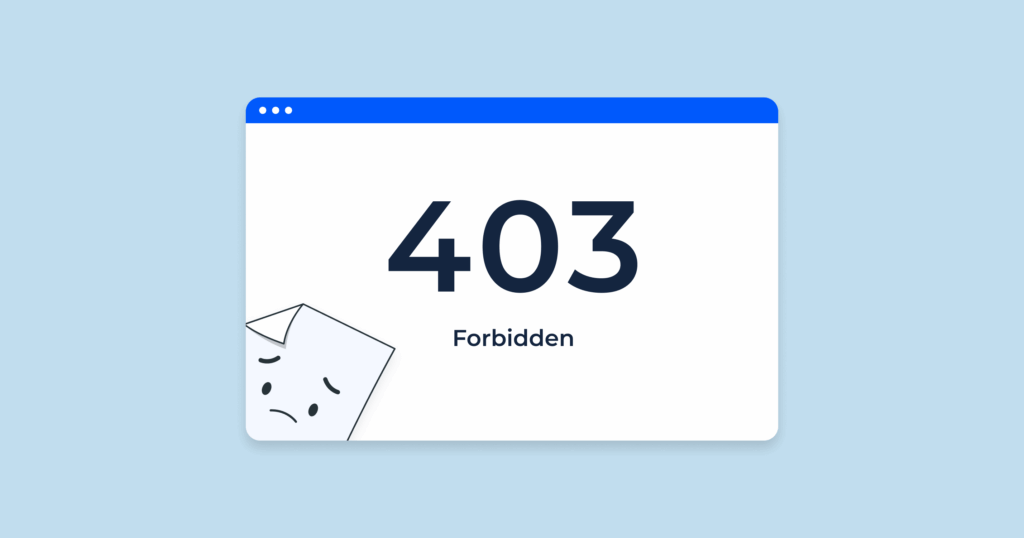
Check the file directly. Open your browser and visit yourdomain.com/xmlrpc.php. If you see a message that reads “XML-RPC server accepts POST requests only,” it is active and accessible to anyone. If you see a 403 Forbidden or 404 Not Found error, it has already been blocked.
Review your server access logs. Look for repeated POST requests to /xmlrpc.php. A natural pattern might be occasional requests from a known service. Hundreds of requests in a short window, especially from rotating IP addresses, is the signature of a brute force campaign or pingback abuse in progress.
Check your security activity logs. If you have WordPress Ultimate Security installed, the Activity Logs section gives you a clear picture of authentication attempts across all login channels.
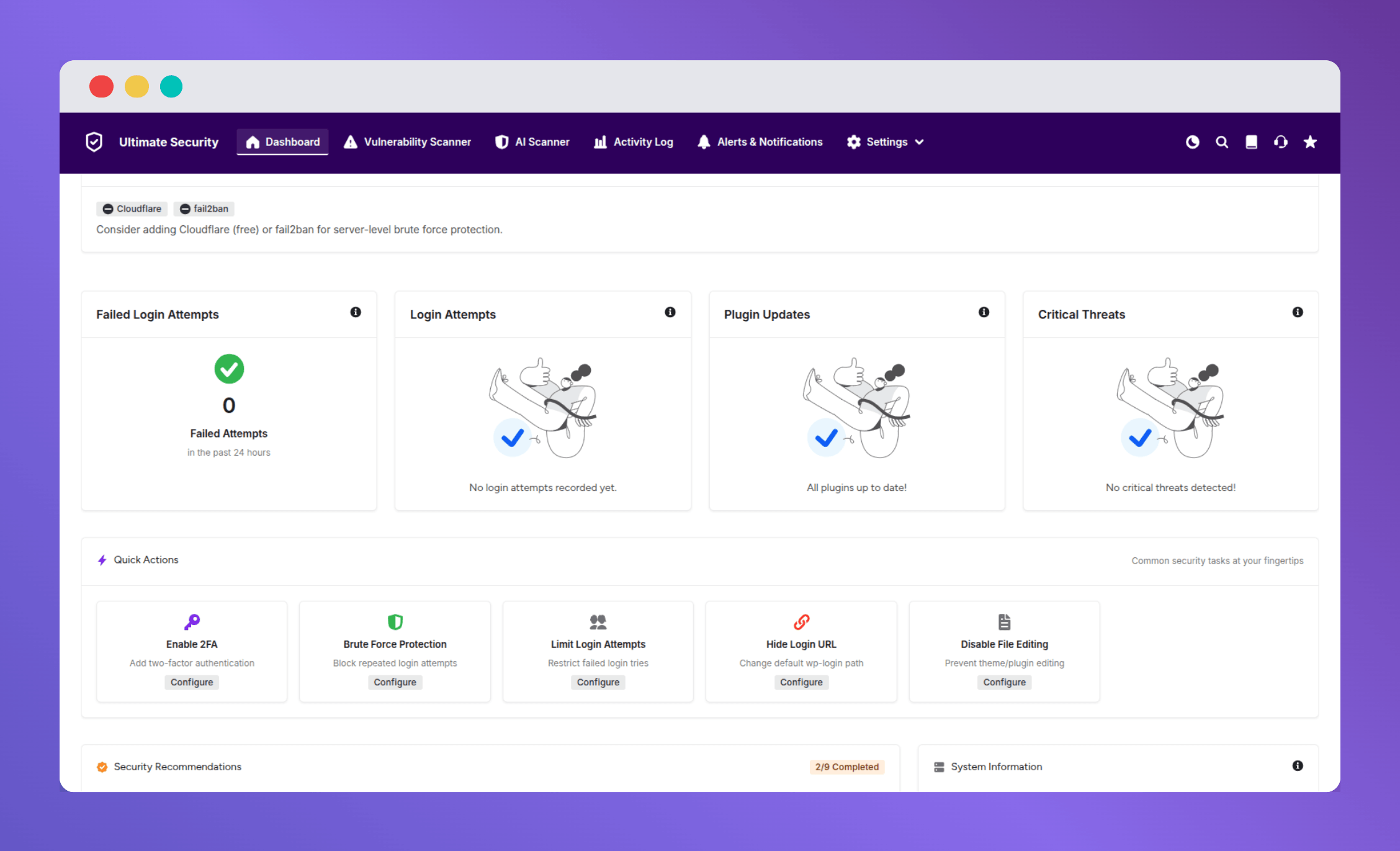
This matters because many site owners assume their login protection covers XML-RPC automatically. It does not, unless the security plugin is specifically built to monitor that endpoint.
Do You Actually Need XML-RPC?
Before you disable anything, it is worth taking 60 seconds to check whether anything on your site depends on it.
You almost certainly do not need XML-RPC if you manage your site through the WordPress dashboard, do not use the official WordPress mobile app, and do not use any third-party publishing tools built before 2015. You might still need it if you use a remote publishing workflow that has not been updated to use the REST API.
The simplest test: check your server logs for legitimate POST requests to /xmlrpc.php over the past 30 days. If there are none that you recognize, you do not need it. For almost everyone reading this, the answer is: disable it.
How to Disable XML-RPC in WordPress
There are three solid approaches. Pick the one that matches your comfort level.
The Simplest Method: WordPress Ultimate Security
WP Ultimate Security has a dedicated Security Hardening panel under the Site Hardening section of the plugin. Inside that panel, disabling XML-RPC is a single toggle. No file editing, no code, no risk of a typo taking your site offline.
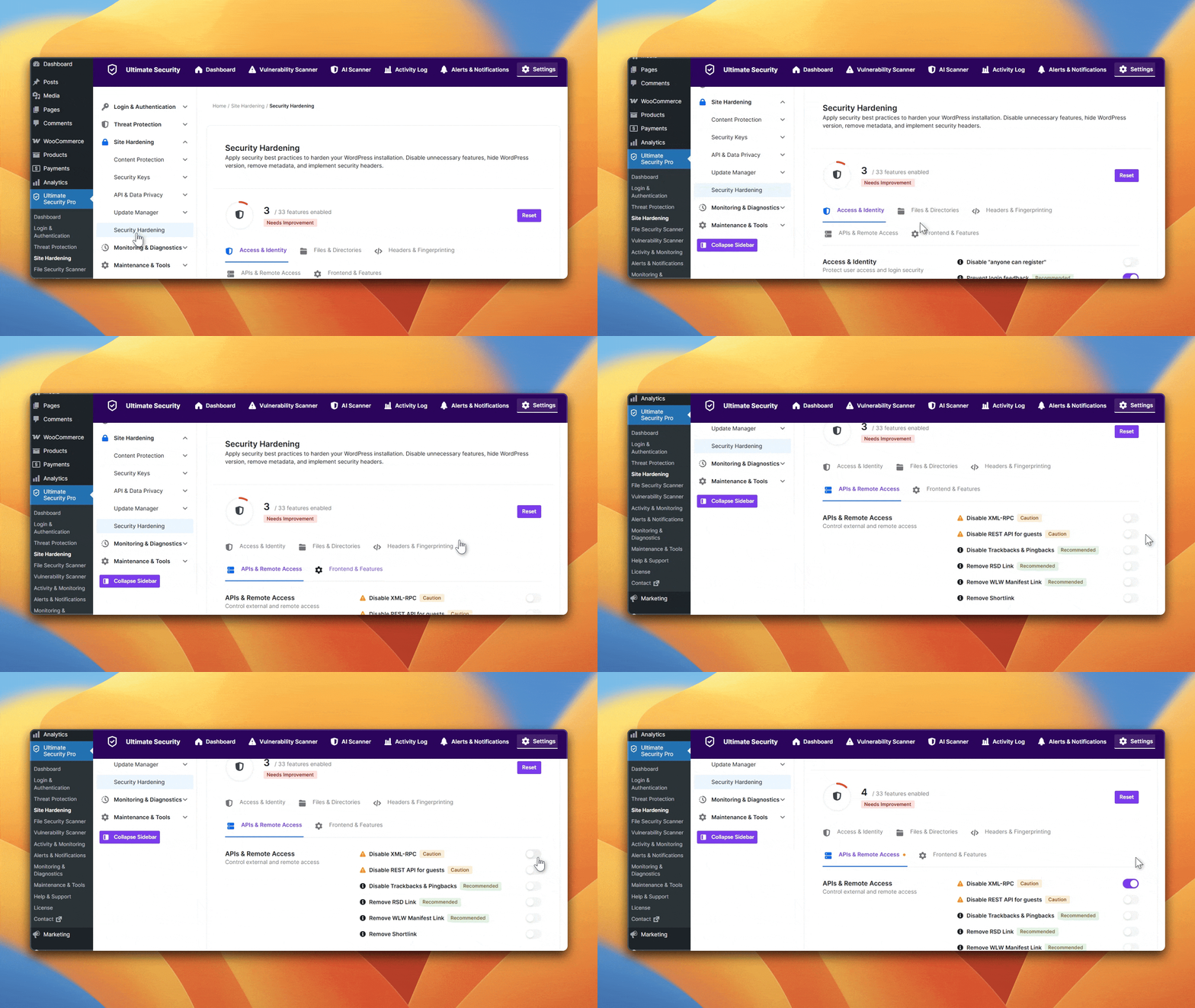
What makes this more useful than a standalone XML-RPC plugin is context. The Security Hardening panel is a full checklist of hardening actions for your site not just one setting. Disabling XML-RPC is part of a broader pass that includes other common exposure points. You close multiple doors in one place rather than patching one hole while leaving others open.
You can find the full Security Hardening documentation here.
Disable XML-RPC Using Fluent Snippets
If you are not comfortable editing server files, Fluent Snippets is a clean and safe alternative. It lets you add PHP code directly from your WordPress dashboard without touching functions.php or any server configuration.
Open Fluent Snippets from your dashboard, create a new PHP snippet, and paste this single line:
php
add_filter( 'xmlrpc_enabled', '__return_false' );
Name it something recognizable like “Disable XML-RPC,” set it to run everywhere, and activate it. That is all it takes.
The reason this works better than editing functions.php directly is simple. Theme updates wipe out any changes you make to functions.php. A snippet saved in Fluent Snippets stays put regardless of theme changes, and you can toggle it off in seconds if you ever need to troubleshoot.
What If You Still Need XML-RPC Open?
If you have a genuine dependency on XML-RPC an older integration, a publishing tool that still uses it you are not stuck choosing between security and functionality.
Block only pingbacks. You can disable the pingback. ping and pingback. extensions. getPingbacks methods specifically using WordPress filters. This removes the DDoS risk while keeping other XML-RPC methods available for legitimate use.
Restrict by IP address. If only a specific app or team member needs XML-RPC access, use the .htaccess approach above but add an allow rule for your specific IP addresses. Everyone else gets a 403.
Add two-factor authentication as a second layer. Even if xmlrpc. php is open, authentication still happens through your WordPress user accounts. If you enforce two-factor authentication, an attacker who guesses the right password still cannot get in without the second factor.
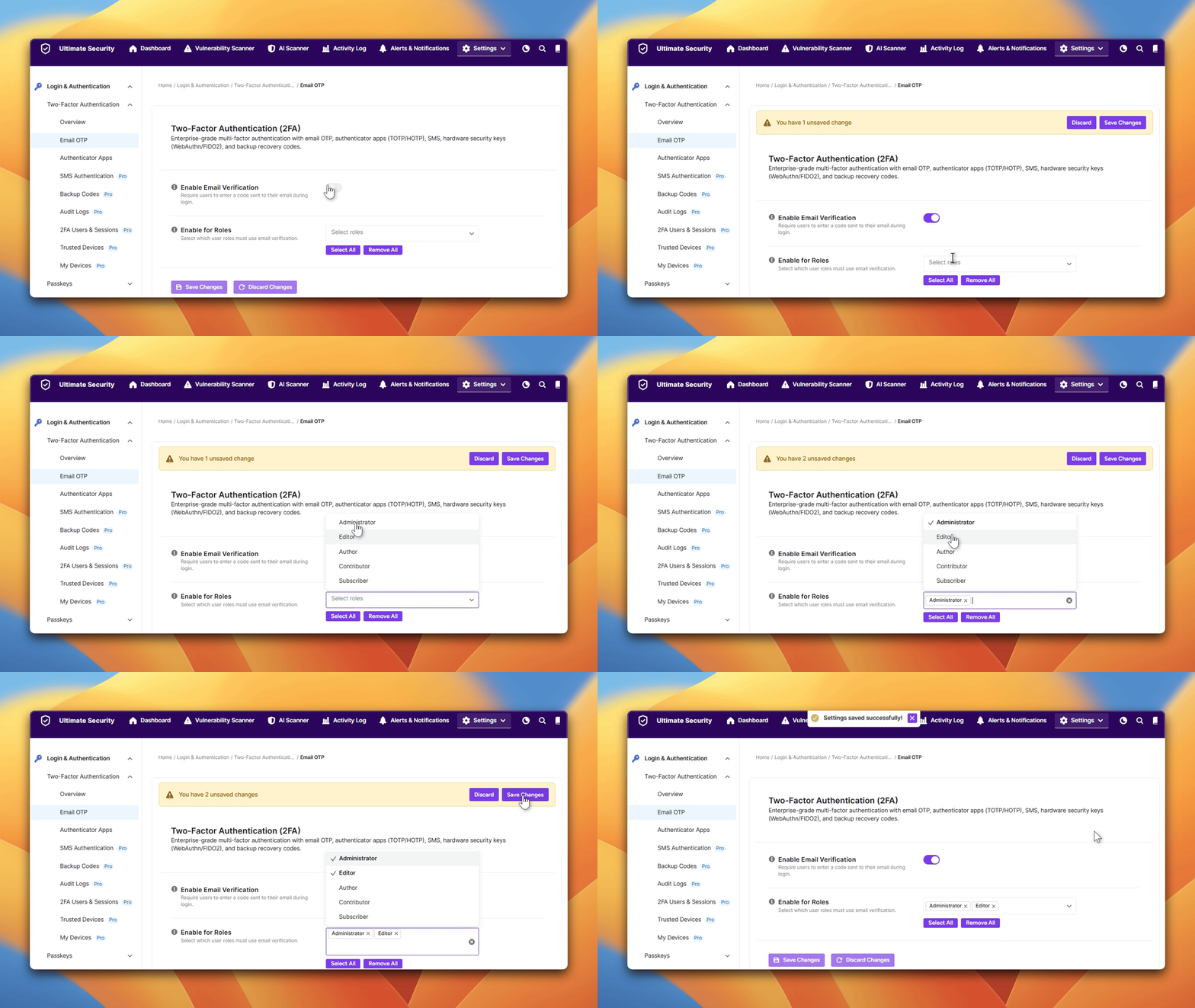
WordPress Ultimate Security handles this through its Login and Authentication section. It supports authenticator apps like Google Authenticator and Authy, Email OTP, SMS Authentication, and Passkeys. When 2FA is active, a brute-force attack through XML-RPC that successfully finds a correct password hits a second wall immediately. The attacker needs the rotating one-time code, and they do not have it.
This is the layered security approach: restrict the endpoint where possible, and add strong authentication for everything that gets through.
The Modern Replacement: Application Passwords
WordPress 5.6 introduced Application Passwords, and this feature was built specifically to replace the authentication role that XML-RPC used to play.
Instead of using your main admin credentials to authenticate a remote app or service, you go to Users → Profile → Application Passwords in your WordPress dashboard. Give the new password a name something like “Mobile App” or “Publishing Tool” and WordPress generates a unique password for that specific app.
The remote app uses that generated password for authentication. Your main account password is never exposed. If that app is compromised, you revoke just that password and the rest of your access is untouched.
Application Passwords work through the REST API, not XML-RPC. Migrating your integrations to use them is another concrete reason to disable XML-RPC entirely and it is the right long-term direction regardless.
Quick Action Summary
If you want to handle this right now without reading everything above, here is the short version.
Visit (yourdomain.com/xmlrpc.php) in your browser. If you see the XML-RPC server message, it is active. If you do not use any remote publishing tools, or the WordPress mobile app, disable it immediately using Ultimate Security’s Security Hardening panel, the .htaccess method, or the WordPress filter.
If you do need it open for a specific reason, block pingbacks, restrict by IP where possible, and enable two-factor authentication through WordPress Ultimate Security so that even a successful brute-force attempt cannot result in a login.
Then check your activity logs in Ultimate Security to see if there have been any past attempts through XML-RPC that your login protection missed.
Frequently Asked Questions
What does xmlrpc.php actually do in WordPress?
It is the file that allows outside applications to communicate with your WordPress site remotely. It lets apps create posts, edit content, upload files, and handle authentication all without the user being logged into the dashboard. It was primarily used by the WordPress mobile app and desktop blogging clients before the REST API replaced it.
Is XML-RPC enabled on my WordPress site by default?
Yes. Since WordPress 3.5, XML-RPC has been enabled by default on every WordPress installation. The option to disable it from the WordPress settings panel was removed in the same version. You need to disable it manually through a plugin, server configuration, or code.
Can disabling XML-RPC break my WordPress site?
For most sites, no. If you are not using the WordPress mobile app, older Jetpack features, or third-party remote publishing tools, nothing will break. Check your server logs for legitimate requests to /xmlrpc.php before disabling if there are none you recognize, you are safe to turn it off.
What is the system.multicall exploit?
It is a method within the XML-RPC API that lets an attacker send thousands of username and password combinations in a single HTTP request. Standard WordPress login protection only tracks individual login attempts, so this kind of attack can fly under the radar entirely. It is one of the primary reasons security professionals recommend disabling XML-RPC.
Does two-factor authentication protect against XML-RPC attacks?
It helps significantly. Even if an attacker brute-forces a correct username and password through XML-RPC, they still need the second authentication factor to complete the login. A security plugin like WP Ultimate Security lets you enforce 2FA across all user accounts, which reduces the damage potential from a successful credential attack.
What is the WordPress REST API and does it replace XML-RPC?
Yes. The WordPress REST API was introduced in 2015 and became part of WordPress core in version 4.4. It handles everything XML-RPC used to do but with better authentication, stronger security, and active development support. Modern apps and services use the REST API rather than XML-RPC, and WordPress Application Passwords (added in WordPress 5.6) provide secure authentication for those connections.
How do I know if my site is being attacked through XML-RPC?
Check your server access logs for high volumes of POST requests to /xmlrpc.php. Bursts of requests from rotating IP addresses are a strong indicator of automated attack activity. WP Ultimate Security’s activity logs will also surface authentication failures across all login channels, including XML-RPC, giving you visibility that standard login attempt counters miss.
Conclusion
XML-RPC was built for a different era of the web. It served a real purpose, and then better tools replaced it. The problem is that WordPress has never switched it off by default, and attackers know it is there even when site owners do not.
Disabling it through Ultimate Security’s Security Hardening panel takes about ten seconds. Pairing that with two-factor authentication through the same plugin covers both the legacy endpoint and your login layer in one place. That combination closes two of the most commonly exploited entry points on any WordPress site.